Blazor Server
The URL guard is middleware, so it sees HTTP requests only. In Blazor Server (and the Interactive Server render mode) a navigation inside the circuit sends no request. The Blazor layer closes that gap.
Setup
builder.Services.AddSuperAdmin(builder.Configuration.GetSection("SuperAdmin"), db => db.UseSqlServer(cs));
builder.Services.AddSuperAdminBlazor();
builder.Services.AddRazorComponents().AddInteractiveServerComponents();
...
app.UseAuthentication();
app.UseSuperAdmin();
app.UseAuthorization();
app.UseAntiforgery();
app.MapStaticAssets();
app.MapSuperAdmin();
app.MapRazorComponents<App>().AddInteractiveServerRenderMode();
"SuperAdmin": { "Auth": { "SetDefaultScheme": true } }
SetDefaultScheme makes the SuperAdmin cookie the default scheme. The Blazor hub connection, [Authorize], AuthorizeView and HttpContext.User then all see the admin user. Leave it off if your app signs users in with its own default scheme.
Add these lines to _Imports.razor:
@using SuperAdmin.Rbac.Blazor
@using SuperAdmin.Rbac.Authorization
What AddSuperAdminBlazor() gives you
| Piece | What it does |
|---|---|
Revalidating AuthenticationStateProvider | Every Auth:RevalidationMinutes (default 1) the circuit re-checks that the user is active and the security stamp matches. Deactivation, force logout and password change end open circuits |
[HasUrlPermission] | Checks the permission URL rules for the page. AuthorizeRouteView runs it on every in-circuit navigation. Same as [Authorize(Policy = SuperAdminDefaults.UrlPolicy)]. Also works on MVC, Razor Pages and Minimal API endpoints |
<SaCan> | Razor component version of the <sa-can> tag helper |
<SuperAdminMenu /> | The role-aware menu tree as a component. Renders the panel's sidebar markup. Variant="SuperAdminMenuVariant.Plain" gives a plain list (sa-menu classes), and ItemTemplate your own link markup |
SuperAdminLayout | The panel shell: header, user menu with logout, sidebar with search and menu. Same markup as the Razor Pages layout |
<SuperAdminHead />, <SuperAdminScripts /> | The panel's CSS, UI:Stylesheets and colour-mode script for <head>; Bootstrap and superadmin.js for <body> |
Circuit-aware ICurrentAdmin | Reads the current (revalidated) user on every call instead of keeping a snapshot for the whole circuit |
Protect pages
Use AuthorizeRouteView in Routes.razor:
@* Routes.razor *@
<Router AppAssembly="typeof(Program).Assembly">
    <Found Context="routeData">
        <AuthorizeRouteView RouteData="routeData" DefaultLayout="typeof(Layout.MainLayout)">
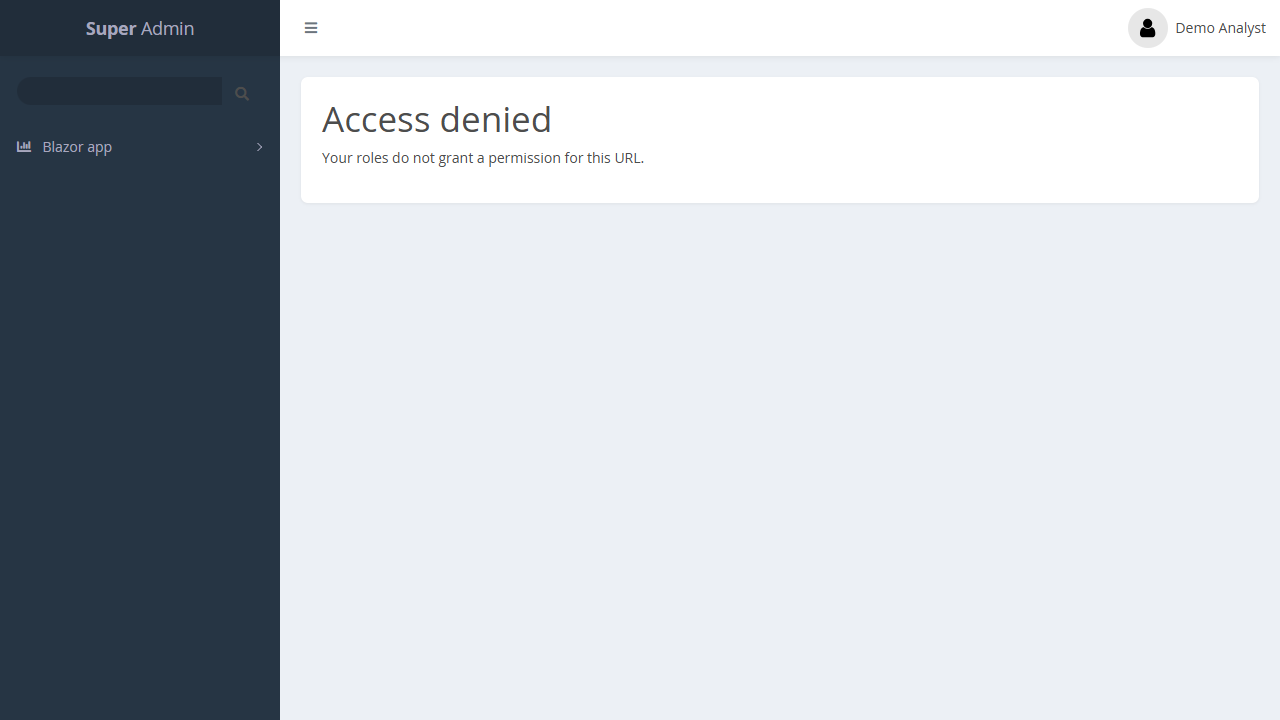
            <NotAuthorized>Access denied.</NotAuthorized>
        </AuthorizeRouteView>
    </Found>
</Router>
Put the attribute on each page, and use <SaCan> for parts of a page:
@* Pages/Reports.razor *@
@page "/admin/reports"
@attribute [HasUrlPermission]

<SaCan Permission="reports.export">
    <ChildContent><button>Export CSV</button></ChildContent>
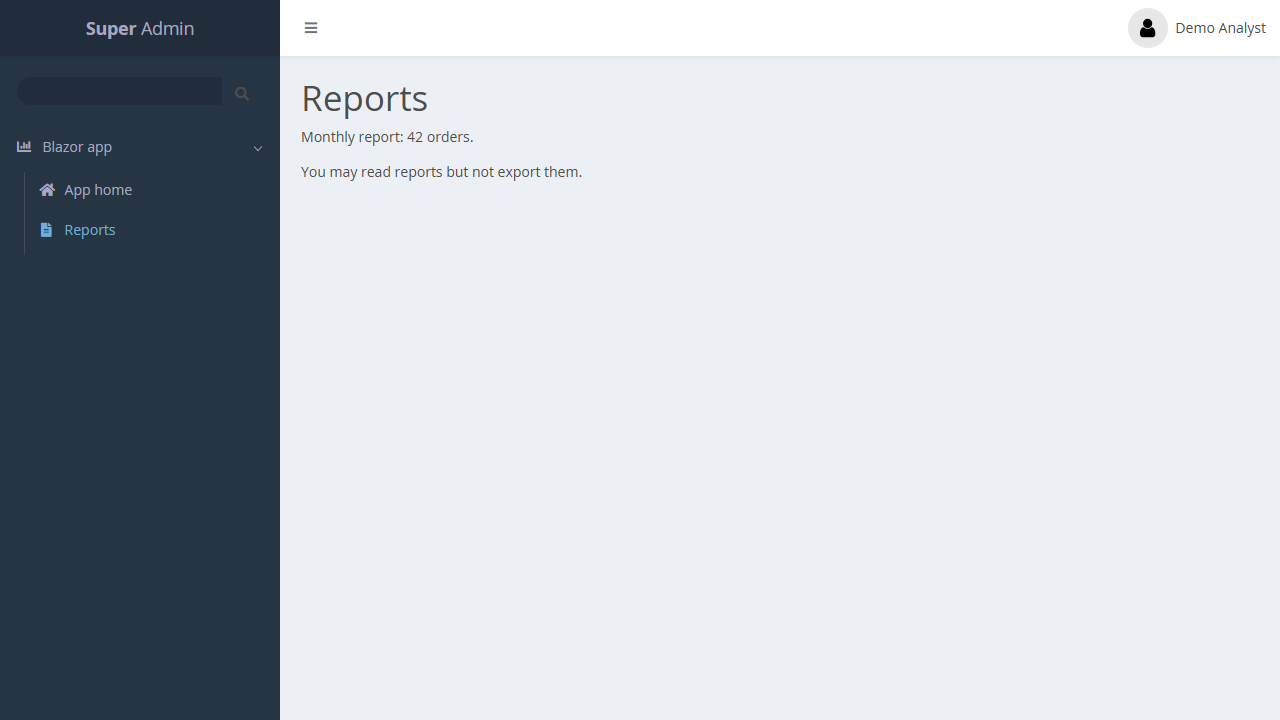
    <Denied>You may read reports but not export them.</Denied>
</SaCan>
<SaCan Url="/admin/orders"><a href="admin/orders">Orders</a></SaCan>
Use the panel shell
Load the package files in App.razor:
@* App.razor *@
<head>
    <base href="/" />
    <SuperAdminHead />                     @* theme CSS, UI:Stylesheets, colour mode *@
    <HeadOutlet @rendermode="InteractiveServer" />
</head>
<body>
    <Routes @rendermode="InteractiveServer" />
    <SuperAdminScripts />                  @* Bootstrap bundle + superadmin.js *@
    <script src="@Assets["_framework/blazor.web.js"]"></script>
</body>
Then use SuperAdminLayout as the layout, either directly (DefaultLayout="typeof(SuperAdminLayout)") or under your own layout:
@* Layout/MainLayout.razor *@
@inherits LayoutComponentBase
@layout SuperAdminLayout

<ErrorBoundary>@Body</ErrorBoundary>
The sidebar menu, its search box, the collapse toggle and the user menu work in the circuit. superadmin.js uses delegated handlers, so Blazor re-renders do not break them. The active menu item follows in-circuit navigation.
To build your own shell instead, use <SuperAdminMenu /> alone (sidebar markup) or <SuperAdminMenu Variant="SuperAdminMenuVariant.Plain" /> (a plain list to style yourself).
Protecting the whole app
When the whole app is protected (Protection:Scope = All), these requests need a signed-in user but no URL rule, so every admin user gets a working circuit:
- the Blazor script (
/_framework/*), - the hub (
/_blazor,/_blazor/*), MapStaticAssets()files.
The pages themselves stay protected by [HasUrlPermission]. Turn this off with Protection:SkipUrlRulesForAssets = false, or make the paths public with Protection:AnonymousPaths.
Sample
The Blazor sample runs all of this. Sign in as analyst / Analyst#12345:
In-circuit navigation to a page without permission:
Blazor WebAssembly runs in the browser, so it cannot be trusted with authorization. Protect its server APIs with the URL guard and [HasPermission].