Log Viewer
super-admin-org/log-viewer shows the files in storage/logs inside the admin panel. It groups errors into distinct issues with a suggested fix, filters by level, searches, follows new entries live, and downloads or deletes log files.
| Package | super-admin-org/log-viewer |
| Admin URL | /admin/logs (/admin/logs/{file} for a specific file) |
| Menu | Log viewer |
| Permission | ext.log-viewer (path /logs*) |
Installation
composer require super-admin-org/log-viewer
php artisan admin:import log-viewer
Using it
-
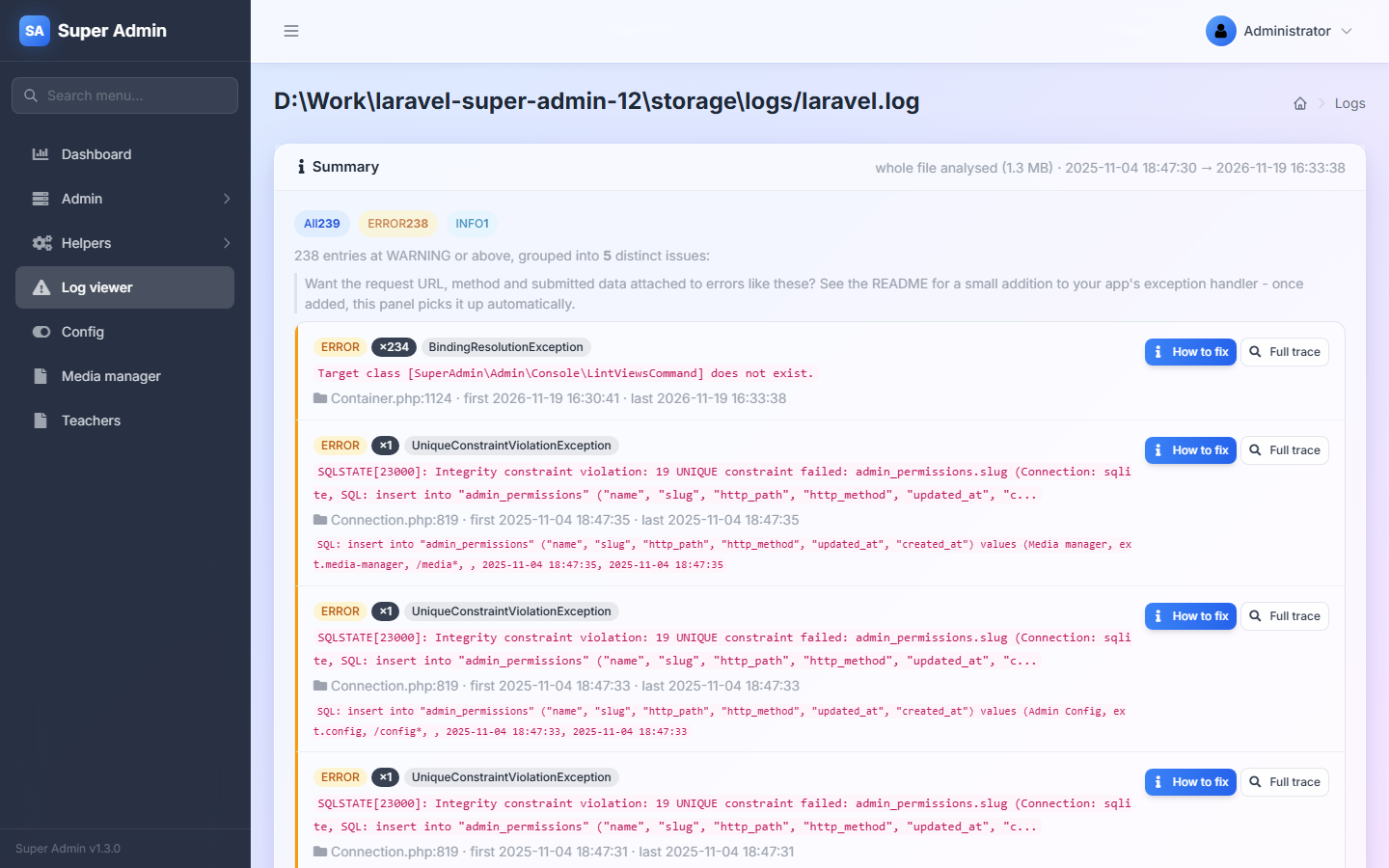
Summary (top): the number of entries per level, and every distinct problem at WARNING or above with how often it happened, when it was first and last seen, the file and line, and the SQL or route involved. The level chips filter the table below.
-
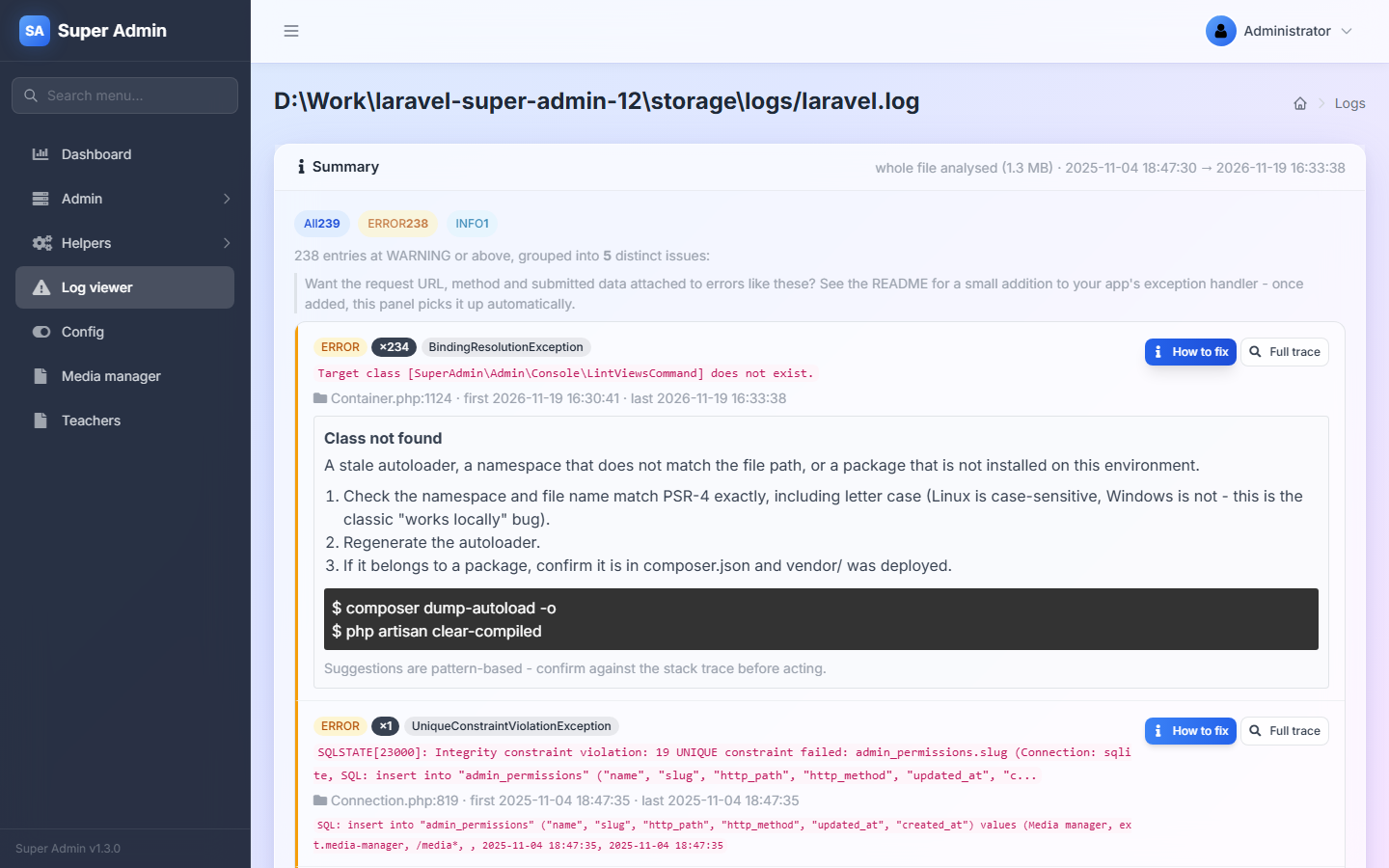
How to fix opens the suggested cause, steps and commands for that problem. Full trace shows the first complete entry.
-
Entries table: level, environment, time and message, newest first; Exception expands the stack trace. The arrows page through older entries.
-
Search filters the entries by any text. Refresh reloads; the play button refreshes every 5 seconds until you click elsewhere.
-
Files (right): the 20 most recently changed log files. Download and Delete act on the open file.
Level filters and search look at the latest 200 entries of the page window, not the whole file.
Request details in the summary
Errors show the route and SQL automatically. To also see the URL, method and submitted data, add them to the log context in your exception handler. Laravel 11 and newer, in bootstrap/app.php:
->withExceptions(function (Exceptions $exceptions) {
    $exceptions->context(fn () => [
        'url' => request()->fullUrl(),
        'method' => request()->method(),
        'input' => request()->except(['password', 'password_confirmation', 'current_password', '_token']),
    ]);
})
Configuration
'extensions' => [
    'log-viewer' => [
        // Some servers block URLs that contain a dot (e.g. /logs/laravel.log).
        // true encodes dots in file names as [dot] in the URL.
        'bypass_protected_urls'         => false,
        'bypass_protected_urls_find'    => ['.'],
        'bypass_protected_urls_replace' => ['[dot]'],

        // Summary analyser limits
        'analyzer_max_bytes'    => 2097152, // read at most the last 2 MB of a file
        'analyzer_max_issues'   => 8,       // distinct issues listed
        'analyzer_max_activity' => 6,       // INFO/DEBUG groups listed
        'analyzer_max_trace'    => 32768,   // bytes of trace kept per issue
    ],
],
Compatibility
| Laravel | PHP | State |
|---|---|---|
| 8 – 13 | 8.0+ | Works. Reads the default single and daily log formats. |
Known limitations:
- "Updated at" in the Info box shows the file's change time (
filectime), which on Windows is the creation time. - With
bypass_protected_urlsenabled, live refresh (the play button) can fail for file names that contain dots.
Troubleshooting
| Problem | Fix |
|---|---|
404 when opening laravel.log | Your web server blocks dotted URLs. Set bypass_protected_urls to true. |
| "log not exists!" | The file was deleted or rotated; open Log viewer again to pick the newest file. |
| The summary says "last 2 MB analysed" | Raise analyzer_max_bytes, or rotate logs daily (LOG_CHANNEL=daily). |